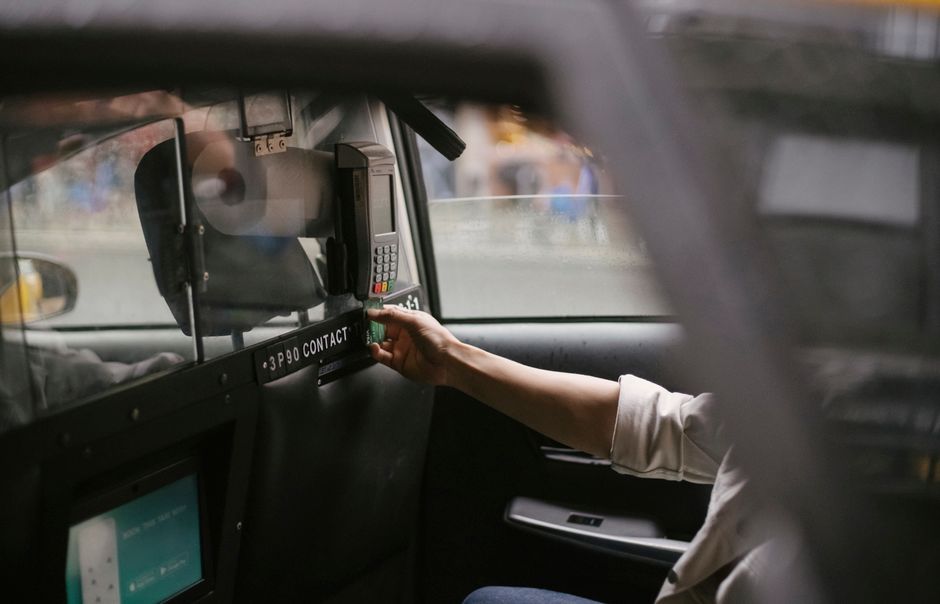
Learning how to ola can seem daunting, but with the right steps, you’ll be booking rides like a pro. Honestly, I used to make this mistake too, but after some practice, I got the hang of it. The first step is to download the Ola app from the App Store or Google Play Store.
How to ola: Getting Started with Ola
To get started with Ola, you’ll need to create an account. This can be done by providing your phone number and email address. You’ll also need to add a payment method, such as a credit or debit card, or a digital wallet like Paytm. In my experience, using a digital wallet makes the process much smoother.
Once you’ve created your account, you can start booking rides. Ola offers a variety of ride options, including Micro, Mini, and Prime. Each option has its own set of features and pricing. For example, Micro is the most affordable option, but it’s also the smallest car.
Understanding Ola’s Interface
Ola’s interface is user-friendly and easy to navigate. When you open the app, you’ll see a map of your current location. You can then enter your pickup and drop-off points, and select your preferred ride option. Ola will then provide you with an estimated fare and arrival time.
One of the key features of Ola’s interface is the ability to track your ride in real-time. This means you can see exactly where your driver is and when they’ll arrive. You can also contact your driver directly through the app if you need to.
Using Ola’s Safety Features
Ola has a number of safety features in place to ensure that your ride is safe and secure. For example, you can share your ride details with a friend or family member, so they can track your journey. You can also use Ola’s emergency button to contact the authorities if you need to.
Booking Your First Ride with Ola
Booking your first ride with Ola is easy. Simply open the app, enter your pickup and drop-off points, and select your preferred ride option. Ola will then provide you with an estimated fare and arrival time. You can also choose to pay with cash or use a digital wallet.
Once you’ve booked your ride, you’ll receive a confirmation message with your driver’s details. You can then track your driver’s location in real-time, and contact them directly if you need to.
Managing Your Ola Account
Managing your Ola account is easy. You can view your ride history, update your payment methods, and edit your profile information all from within the app. You can also use Ola’s referral program to earn credits and discounts on future rides.
In my experience, keeping your account up-to-date is crucial for a smooth Ola experience. This includes ensuring that your payment methods are valid and that your profile information is accurate.
Common Mistakes to Avoid When Using Ola
There are a few common mistakes to avoid when using Ola. Firstly, make sure you’ve entered the correct pickup and drop-off points. Secondly, ensure that you’ve selected the correct ride option for your needs. Finally, always check the estimated fare and arrival time before booking your ride.
Here are a few more mistakes to avoid:
- Not checking the driver’s rating before booking a ride
- Not using Ola’s safety features
<li_Not updating your payment methods regularly
Tips for a Smooth Ola Experience
To ensure a smooth Ola experience, there are a few tips to keep in mind. Firstly, always check the traffic conditions before booking a ride. Secondly, ensure that you’ve got a stable internet connection. Finally, always follow Ola’s safety guidelines.
For example, in 2026, Ola introduced a new feature that allows you to book a ride in advance. This feature is particularly useful for commuters who need to book a ride to work or school.
Troubleshooting Ola Issues
If you encounter any issues with Ola, there are a few steps you can take to troubleshoot. Firstly, check the Ola website for any updates or maintenance notifications. Secondly, try restarting the app or checking your internet connection. Finally, contact Ola’s customer support team for assistance.
According to Ola’s website, the company has a dedicated customer support team that’s available 24/7 to assist with any issues. You can contact them via phone, email, or through the app itself.
For more information on how to use Ola, you can visit their website at https://www.olacabs.com/.
Frequently Asked Questions
How do I book a ride with Ola?
To book a ride with Ola, simply open the app, enter your pickup and drop-off points, and select your preferred ride option. Ola will then provide you with an estimated fare and arrival time. You can also choose to pay with cash or use a digital wallet.
What are the different ride options available with Ola?
Ola offers a variety of ride options, including Micro, Mini, and Prime. Each option has its own set of features and pricing. For example, Micro is the most affordable option, but it's also the smallest car.
How do I track my Ola ride in real-time?
You can track your Ola ride in real-time by using the app's built-in mapping feature. This allows you to see exactly where your driver is and when they'll arrive.
What safety features does Ola have in place?
Ola has a number of safety features in place, including the ability to share your ride details with a friend or family member, and an emergency button to contact the authorities if needed.
How do I contact Ola's customer support team?
You can contact Ola's customer support team via phone, email, or through the app itself. They’re available 24/7 to assist with any issues you may have.
Related Reading
- How to SafarKolkata: A Step-by-Step Guide — Best Guide 2026
- Best Cab Book for a Smooth Ride (2026)
- How to Cab Book: A Step-by-Step Guide — Best Guide 2026
In short, how to ola rewards a careful, informed approach. Use this how to ola guide as a starting framework, adapt it to your situation, and re-check the facts whenever the topic moves.